πŸ‘‘ World's #1 Screen Recording Software
βœ… 100% Free to Download & Test - No Credit Card Required

Record, Edit, and Share
Stunning Desktop Video

ScreenPlay is the world's number one professional screen recorder and screen recording software designed for video creators, developers, and designers. Instantly capture your desktop, crop recordings to vertical, auto-cut silent pauses with our built-in screen recorder, and export pixel-perfect 4K clips.

View Pricing Plans
Available for macOS (Silicon & Intel) and Windows 10/11

450K+

Happy Creators

8.2M+

Videos Rendered

4.9β˜…

User Rating

Get More Done With ScreenPlay

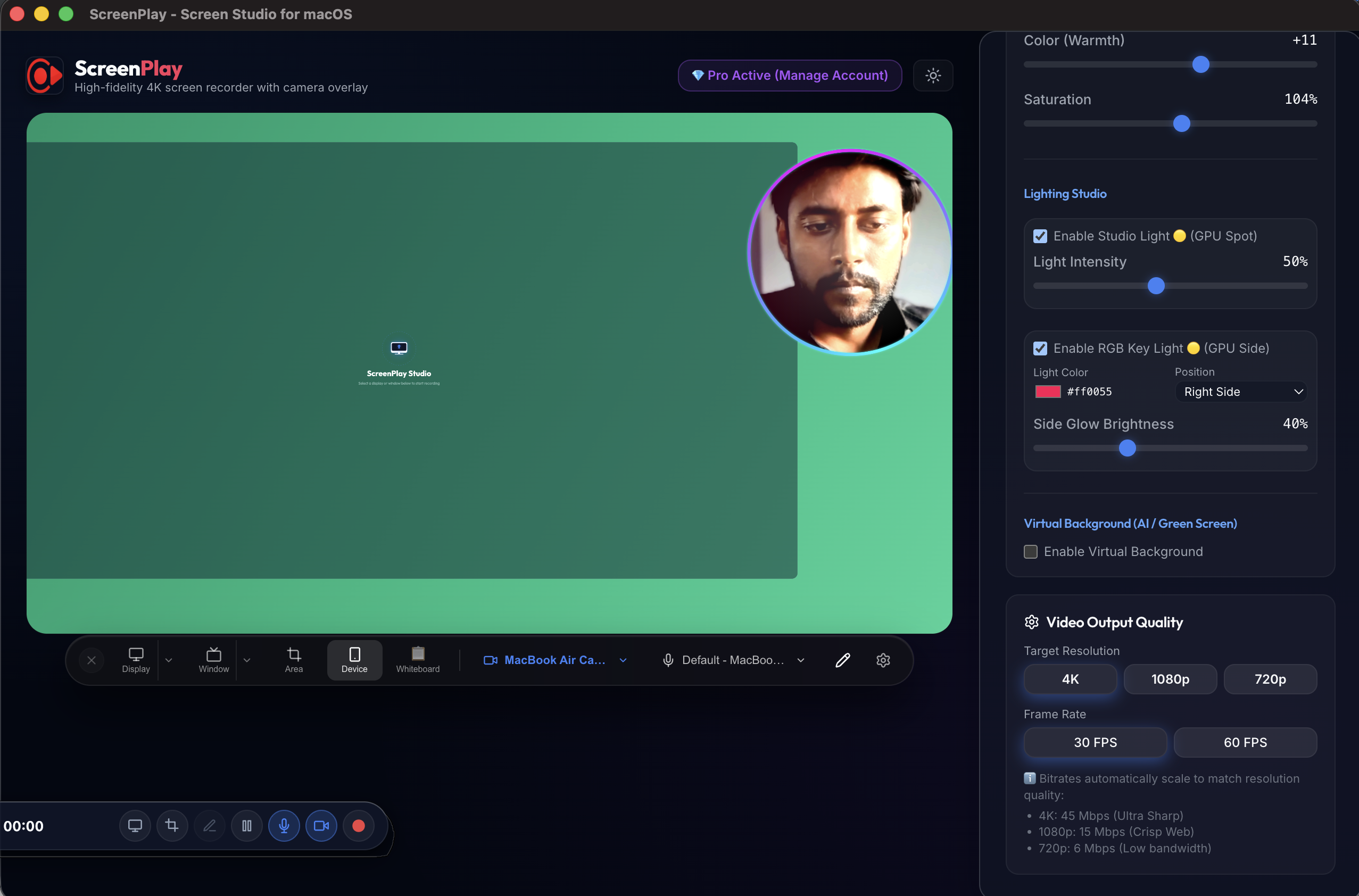
High-fidelity 4K macOS screen recorder with camera overlay

Download ScreenPlay for your preferred operating system. Fully optimized for high-performance recording on Mac, Windows, and Linux architectures.

Windows
Linux OS
Mac OS
Latest version – 1.0.0 | Release date: 5 July 2026 | Works on Mac OS
Ad, Spam and Virus Free Instant Private Sharing 2,854,920 Downloads & Counting...

Capture Streaming Video In 1, 2, 3

1. Select

Select the entire screen or a specific area

2. Capture

Capture live streaming video and audio in real-time

3. Save

Re-watch, download or share the stream privately

Bespoke Workflow, Instant Results

Capture desktop events, frame camera layers, and edit automatically in one lightweight utility dashboard.

1. Recording Sources

Configure custom region boxes, window targets, or lock onto active monitors instantly.

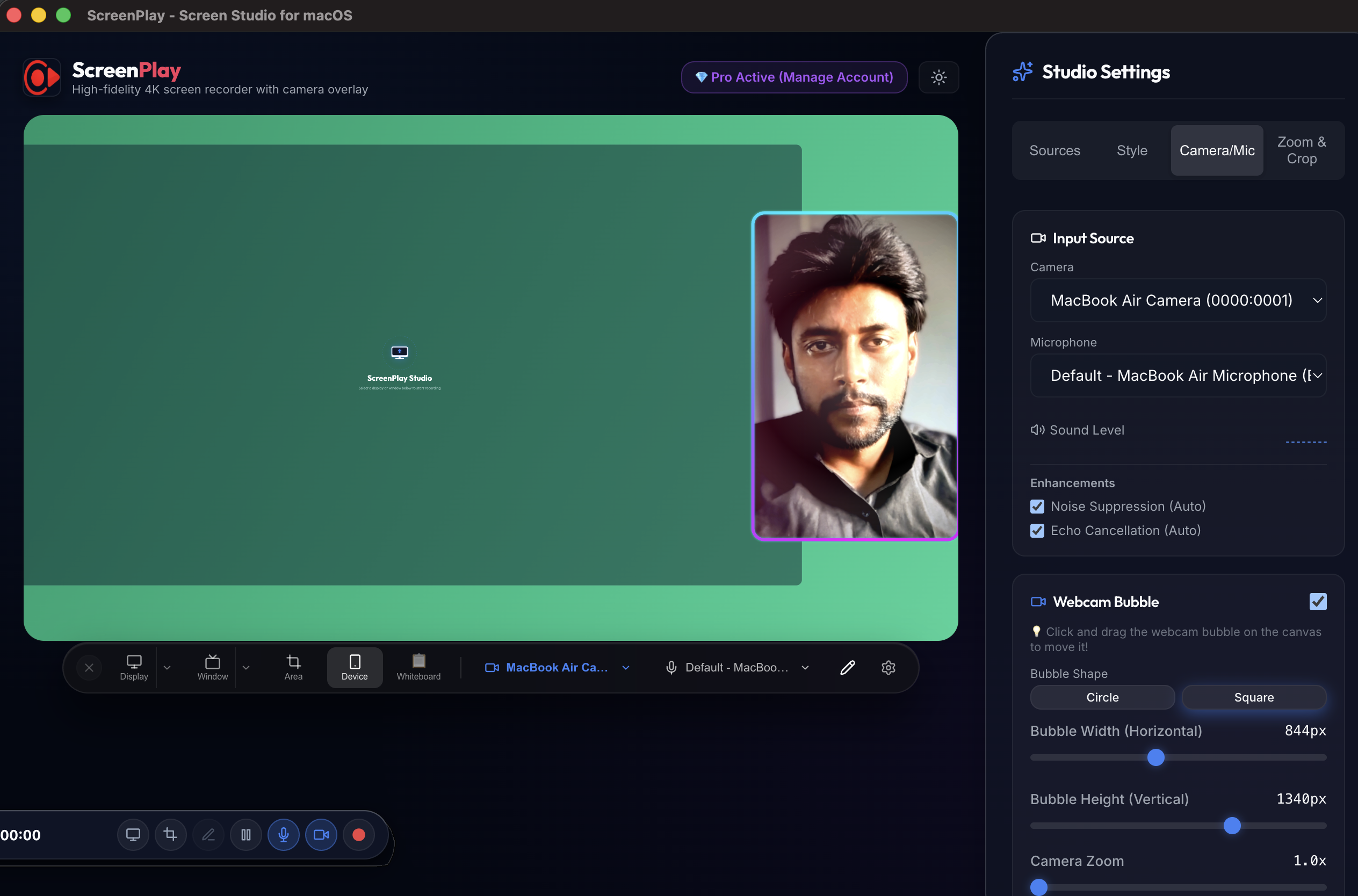
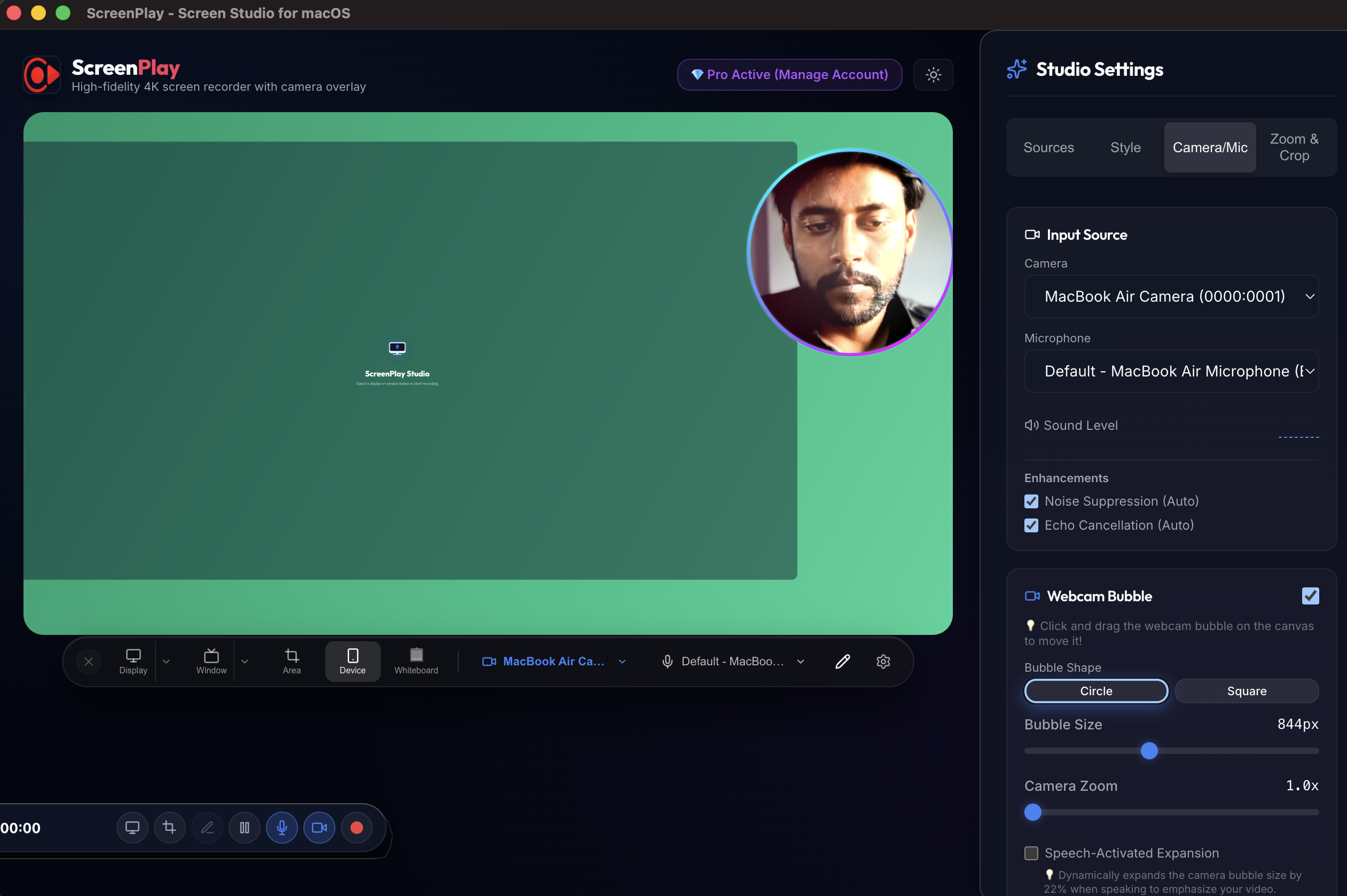
2. Floating Camera Frame

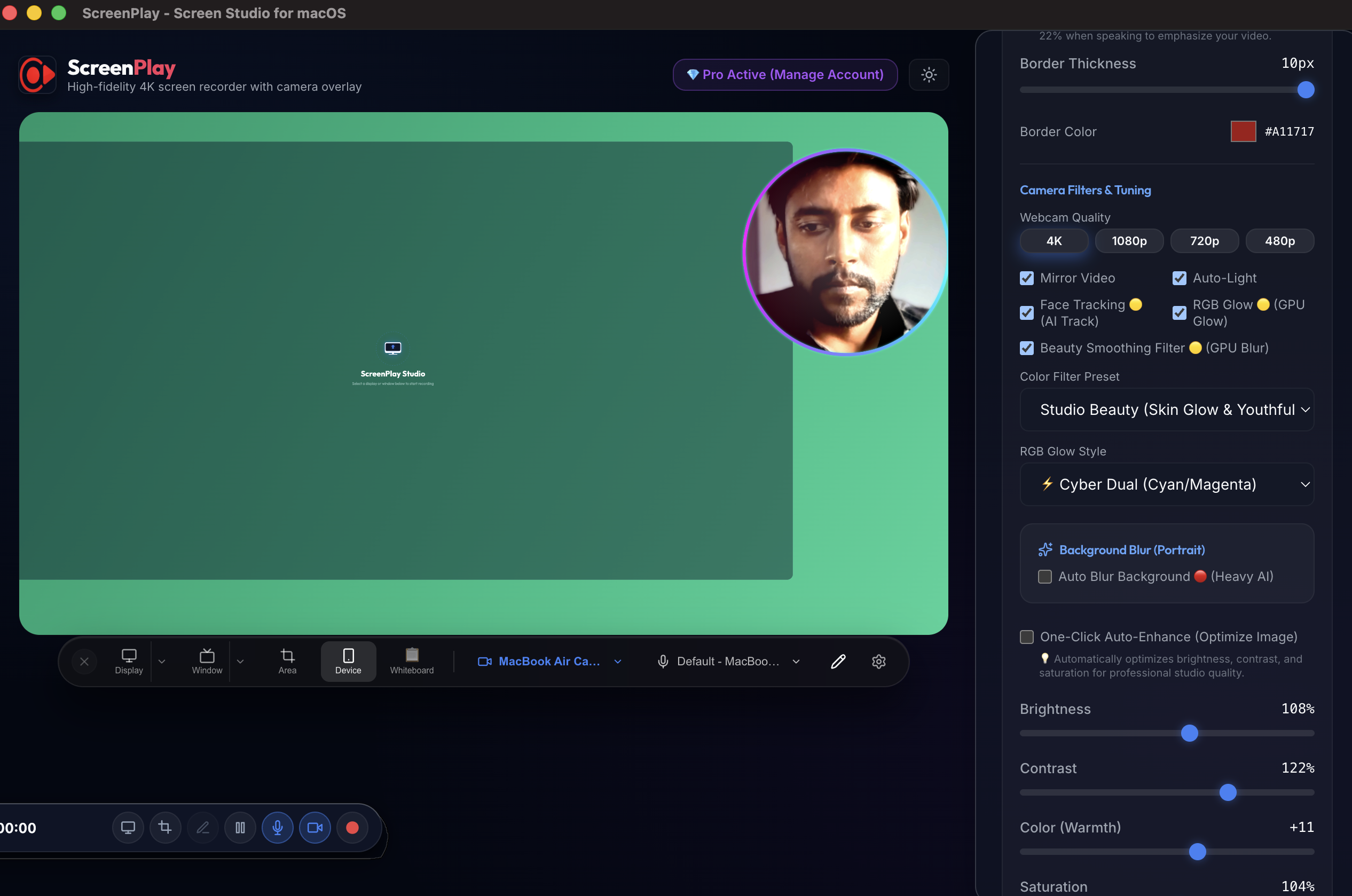
Choose circles or square camera masks. Add solid boundaries or moving RGB neon glows.

3. Screen & Canvas Backgrounds

Add beautiful background gradients, adjust rounded corners, paddings, and borders dynamically.

4. Whiteboard Drawing Tools

Draw shapes, arrows, write texts, and use highlighters directly on the active canvas.

5. Built-in Video Editor

Split recording tracks, trim specific timeline offsets, and customize layout orientations in post-production.

6. Silence Auto-Cut Detection

Scan audio voice waveforms and automatically slice pauses, dead air, and filler speech blocks.

State-of-the-Art Recording Canvas

Everything you need to produce studio-grade clips in seconds, fully integrated into a lightweight package.

πŸŽ₯

Widescreen & Vertical Outputs

Record standard 16:9 widescreen or crop instantly to vertical 9:16 for mobile Shorts, TikToks, and Reels.

🌈

Dynamic White & RGB Borders

Add solid borders or neon rainbow wave glow borders to your facecam. The border width scales to match 4K render quality.

πŸ”

Digital Zoom & Offset Panning

Digitally scale the viewport up to 2.5x and offset center coordinates to draw viewer focus onto details.

βœ‚οΈ

Silence Waveform Auto-Cut

Let the smart audio waveform engine scan, slice, and remove dead speech gaps and filler pauses automatically.

πŸ”‡

Voice Enhancer & Ducking

Apply background noise cancellation and automatically duck secondary music layers during active talk periods.

🏷️

Custom Branded Watermarks

Remove default app marks. Upload personal branding PNG files, set opacity coordinates, and place in any corner.

πŸ–₯️

4K High-Fidelity Capture

Record your desktop or specific app windows in crystal clear 4K widescreen or full HD without lag.

⚑

Zero CPU Overhead

Hardware-accelerated rendering engine ensures your system runs smooth even when recording heavy games or compilations.

πŸ”‘

Instant License Activation

Seamless premium plan upgrades. Unlock pro export functionality instantly through Firestore key validation loops.

πŸ‘‘ World's #1 Screen Recorder Software

Loved by Professional Content Creators

Read how developers, educators, and product leaders build studio-grade recordings with our premium screen recorder.

β˜…β˜…β˜…β˜…β˜… (Verified Purchase)

"The silence auto-cut has literally cut my lesson editing time in half. I just record my React coding sessions, hit cut, and the silent code gaps are removed automatically."

SJ

Sarah Jenkins

Independent Tech Educator
β˜…β˜…β˜…β˜…β˜… (Verified Purchase)

"Widescreen 4K desktop capture combined with zero CPU frame-drops is exactly what I needed. Recording complex rendering pipelines on my Mac works flawlessly."

AR

Alex Rivera

Senior Frontend Developer
β˜…β˜…β˜…β˜…β˜… (Verified Purchase)

"The aspect ratio switcher makes formatting sales walkthroughs into 9:16 mobile demos incredibly fast. Instant export with custom watermarks is a lifesaver."

MC

Michael Chen

Product Lead at LaunchPad

Simple, Transparent Licensing Plans

Start testing the product completely free or unlock all premium features.

🏷️
50% OFF LIFETIME PASS THIS MONTH! First 50 Users Only

Exclusive offer: Use coupon code 50NEW at checkout for 50% discount on Lifetime Pass!

50NEW
Switch to yearly payment to save over 40%!

For testing

Free Forever

$0/mo.

No credit card or sign-up required to download and test.

  • βœ… No Credit Card Needed
  • βœ… Instant DMG Download
  • ⚠️ 5-Minute Recording Limit
  • πŸŽ₯ Basic floating camera circle
  • 🏷️ ScreenPlay Watermark on export

One-time payment

Lifetime Pass

$99one-time
🏷️ Use code 50NEW for 50% OFF

Buy once and own all current and future updates forever.

  • πŸŽ‰ 50% OFF with code 50NEW ($49.50 final)
  • πŸ‘‘ All Pro features included
  • πŸ’» Multi-device activation key
  • πŸ”„ Free updates and priority downloads
  • πŸ“§ Priority support ticketing

Calculate Your Savings

See how much time and editing cost you save by auto-cutting silence and auto-cropping clips with ScreenPlay.
Videos recorded per month 12
Average video length (minutes) 15 mins
Estimated editing rate ($/hour) $35/hr
Monthly Time Saved

6.4 Hours

Money Saved (Editing Cost)

$224.00

Return on Investment (ROI)

4,480%

Frequently Answered Queries

How does the 1-click aspect ratio conversion work? β–Ό
Does the webcam border scale automatically? β–Ό
Why does the webcam zoom in when selecting 1080p? β–Ό